WIT — Worth It?
See what things really cost — in hours of your life. Money is an abstraction; the hours you swap for it are not.

See what things really cost — in hours of your life. Money is an abstraction; the hours you swap for it are not.
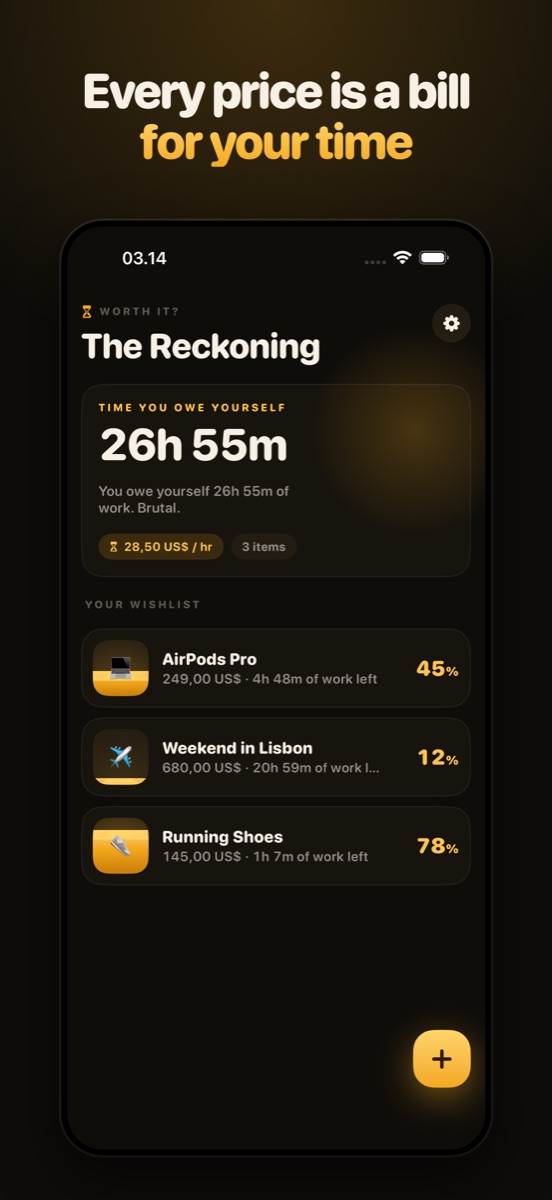
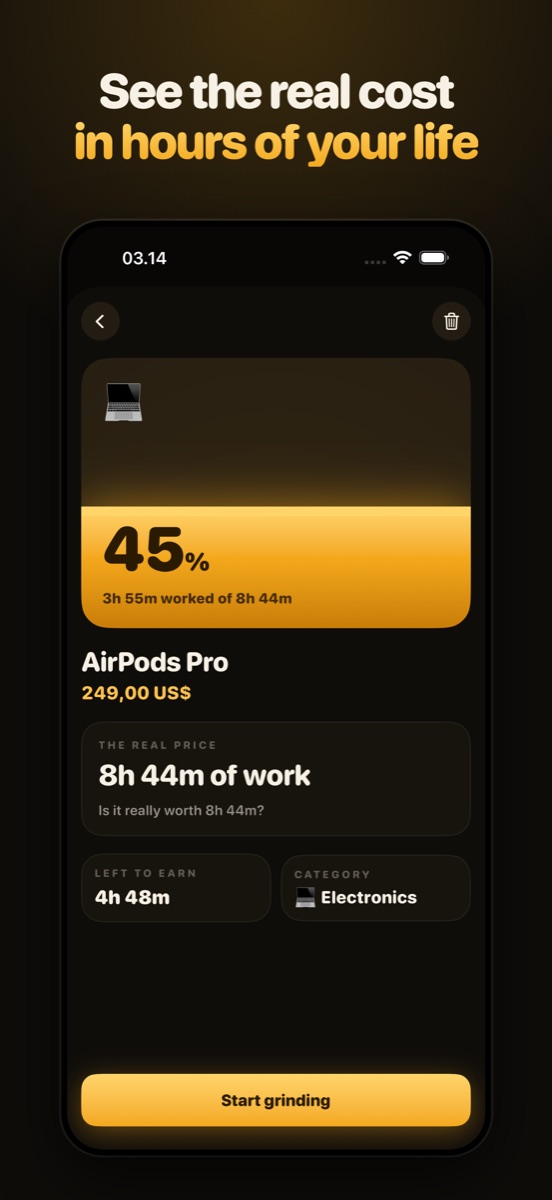
A £180 pair of headphones doesn't mean much on its own. "Two and a half days at work" means something. WIT takes one number from you — what an hour of your work is genuinely worth after tax — and re-prices everything you want in that currency instead.
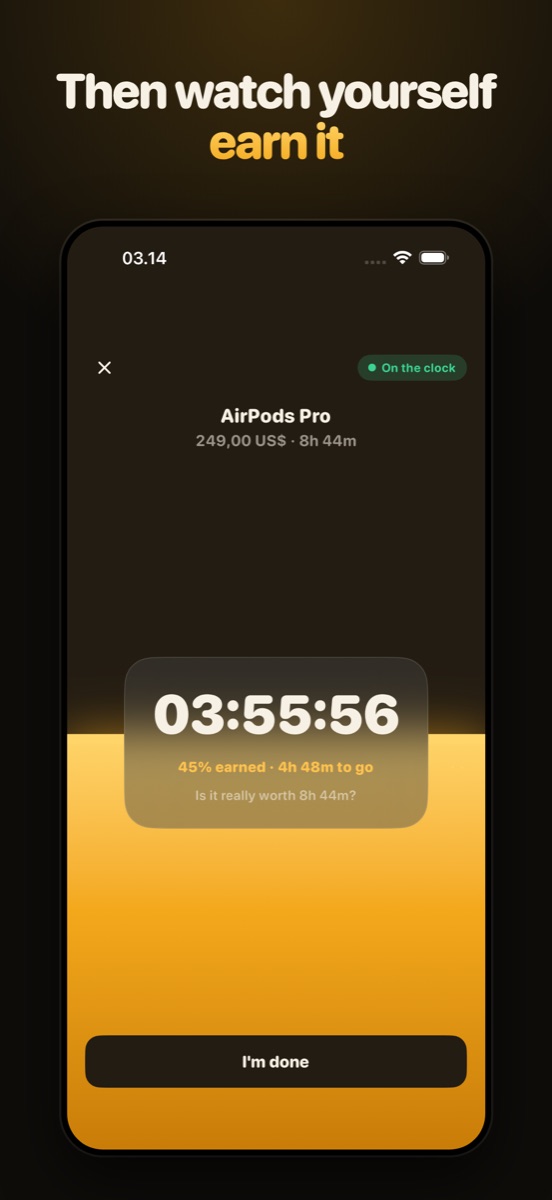
Then it does the part most budgeting apps skip: it lets you actually work for the thing. Start the timer when you clock on, and the item fills up in front of you. When it hits 100%, you've earned it — and whether you buy it or walk away is a much better-informed decision than it was an hour ago.
Setup asks three things: your work hours, your work days and your pay. Enter an hourly, monthly or yearly figure — if it's gross, a tax slider estimates take-home, and if it's already after tax you can say so and skip the estimate. From then on, every price in the app is shown as hours of work as well as money.
Add anything you're eyeing — name, price, and a category (electronics, shoes, travel, home, fun, style, or other). Each item shows how much of it you've already earned as a percentage, and the home screen totals it up into one honest headline: the time you owe yourself.
Rather than typing a price off a product page, paste the link. WIT fetches that page directly from the retailer, reads the listed name and price out of it, and fills the form in for you. The request goes to the shop, not to us — nothing about what you're browsing is logged anywhere.
Tap start when you begin work and stop when you finish. Or turn on auto-track and WIT runs the timer during the work hours you set, stopping itself at the end of your paid day — unpaid breaks come off the end automatically, and paid ones don't.
Set 22:00 to 06:00 and WIT treats it as one eight-hour shift belonging to the day it starts on, so the hours after midnight still count. Pick whichever days you actually work — the schedule doesn't assume Monday to Friday, or that your day ends before midnight.
Small and medium home-screen widgets, all three lock-screen sizes, and a Live Activity with full Dynamic Island support keep the current item's progress in front of you without opening the app. None of it is behind the paywall.
Hit 100% and WIT stops everything for a full-screen "you earned it" — with exactly how many hours of your life went into it. Then two buttons: buy it, or keep it on the list. Plenty of people find the answer changed on the way up.
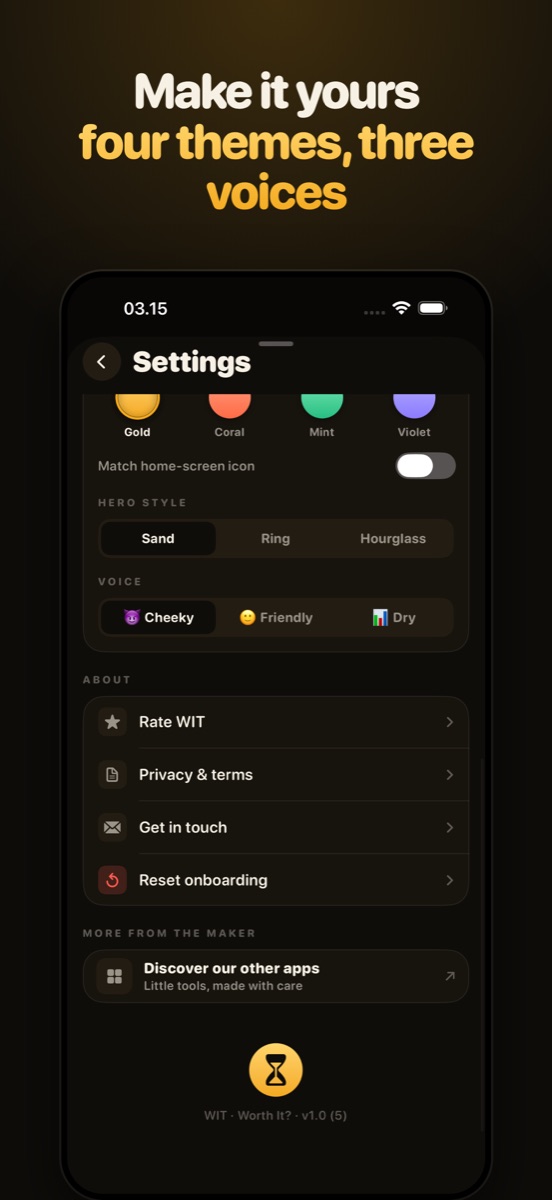
Four accents (gold, coral, mint and violet) with matching home-screen icons, three hero styles for the progress visual (sand, ring, hourglass), and three voices for the app's copy — Cheeky ("You owe yourself 14h of work. Brutal."), Friendly ("14h of work to clear your list. You've got this!") or Dry ("14h of work required.").
No account. No sign-up. No analytics, no advertising, no third-party SDKs. WIT has no server of its own — your wage, your schedule and your wish list are stored on your device. The only time it touches the network is when you ask it to read a price off a product page you pasted.
Track one thing free, forever — with the whole app around it. Premium is for the whole list.