Savoured
Your recipe box, and a kitchen hand. Clip recipes from any page in Safari — then cook them, one step at a time, in your units, at your portions, with the timers already set.

Your recipe box, and a kitchen hand. Clip recipes from any page in Safari — then cook them, one step at a time, in your units, at your portions, with the timers already set.
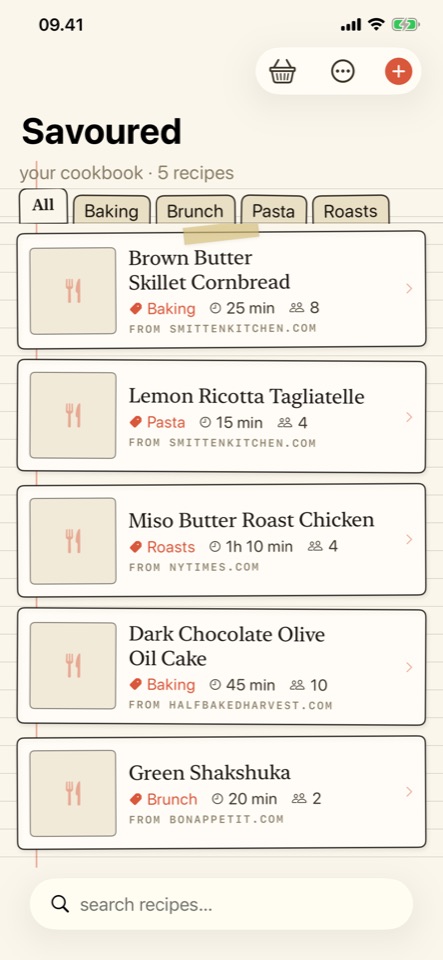
Savoured strips recipes down to what actually matters. Tap once in Safari and the recipe lands in your cookbook — no life story, no autoplay video, no twelve banner ads. Then it helps you cook the thing: big-type steps, timers pulled out of the method, and quantities in whatever units and portions suit you.
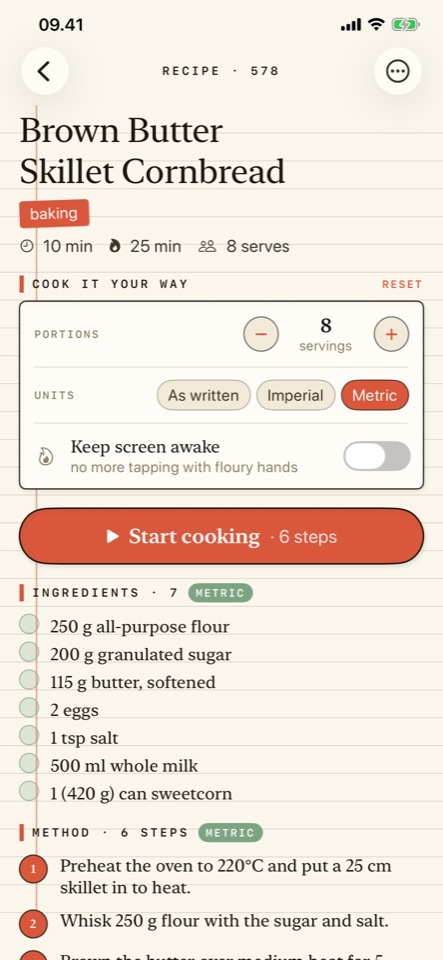
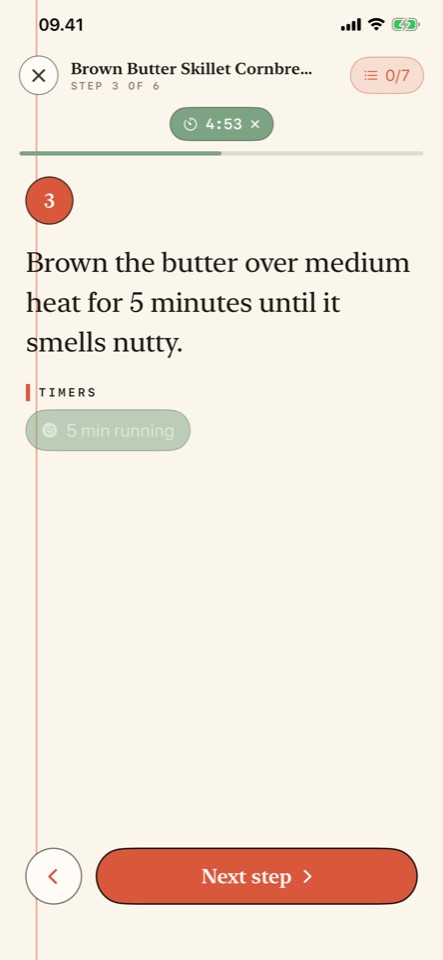
Tap Start cooking and Savoured takes over the screen: one step at a time, in type you can read from across the kitchen. Swipe to move on, the screen stays awake throughout, and it remembers where you were if you walk off.
"Brown the butter for 5 minutes" becomes a Start 5 min button. The countdown follows you through the rest of the recipe and tells you when it's up, even with the phone in your pocket.
Tap an ingredient to strike it through, on the recipe page and in cook mode, so you never lose your place in a long list.
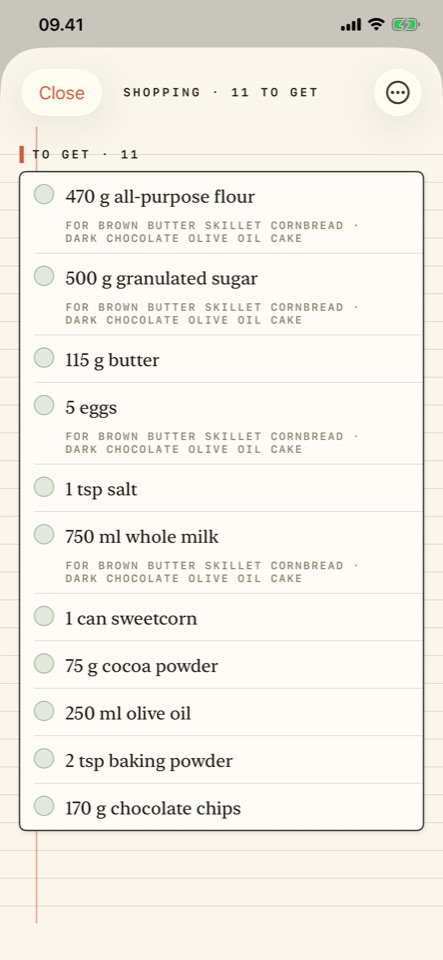
Add two recipes and Savoured merges them. One wants a cup of flour, the other 250 g? One line, 375 g — because it knows what flour weighs. Most recipe apps cannot do this at all.
Not a units table, a cook's conversion. Two cups of flour is 250 g, not 500 ml. Oven temperatures land on numbers real dials have — 350°F is 180°C, not 176.7°C. Tins convert too, so a 9x13 inch tray becomes 23x33 cm, and teaspoons stay teaspoons because spoons are universal. The method converts alongside the ingredients, so step two never contradicts the ingredient list, and your original text is never altered — switch back any time.
Short on flour? Say which ingredient and how much you've got, and the whole recipe rescales around it — every quantity, and the servings too.
No account. No analytics. No trackers. No third-party SDKs. Savoured has no server — your recipes, your shopping list and your settings live on your device and nowhere else. The only time it touches the network is when you ask it to fetch a recipe page, or when it loads that recipe's own photos. The Safari extension can only read a page at the moment you tap it, and only the page you're looking at; it never runs in the background.